
SERGEY POLTEV'S PICKS - ANTIVIRUS SOFTWARE
Best Secure Messaging Apps for 2026
Compare the most private, encrypted messaging apps of 2026 to keep your conversations safe from surveillance, data leaks, and unwanted access.
Why do you need Secure Messaging App?
It is essential to protect your conversations from hackers, data leaks, and unauthorized surveillance—especially when sharing sensitive personal or business information. It ensures only you and the intended recipient can access your messages through end-to-end encryption.
SERGEY'S PICKS
PROVEN SOLUTIONS
Recommended Secure Messaging App
Vetted products and services I personally use and recommend to clients
Signal
(Secure Messaging App)
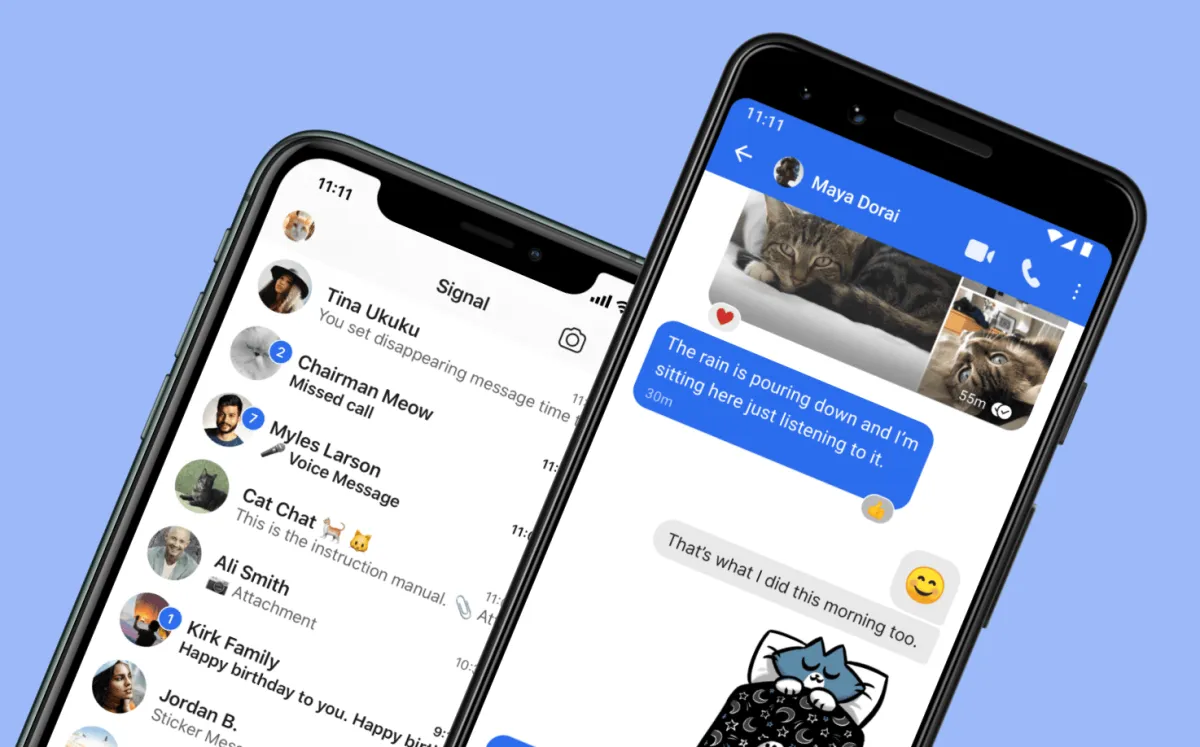
Signal is a privacy-focused messaging platform known for its strong end-to-end encryption that protects messages, calls, and media from third-party access. It is widely used by individuals, journalists, and privacy advocates who prioritize secure communication.
PROS
End-to-end encrypted
Open-source code
No ads tracking
Minimal data collection
Cross-platform support
CONS
Requires phone number
Limited social features
Smaller user base
No cloud backup
COVERAGE
Available on iOS, Android, Windows, macOS, and Linux
Works globally with internet connection
Supports messaging, voice calls, and video calls
Syncs across devices with linked sessions
SERGEY'S PICKS DEAL
Best for users who prioritize maximum privacy and security over social features. Signal is ideal for confidential conversations, sensitive work communication, and anyone looking to avoid data tracking or advertising-based messaging platforms.
Threema
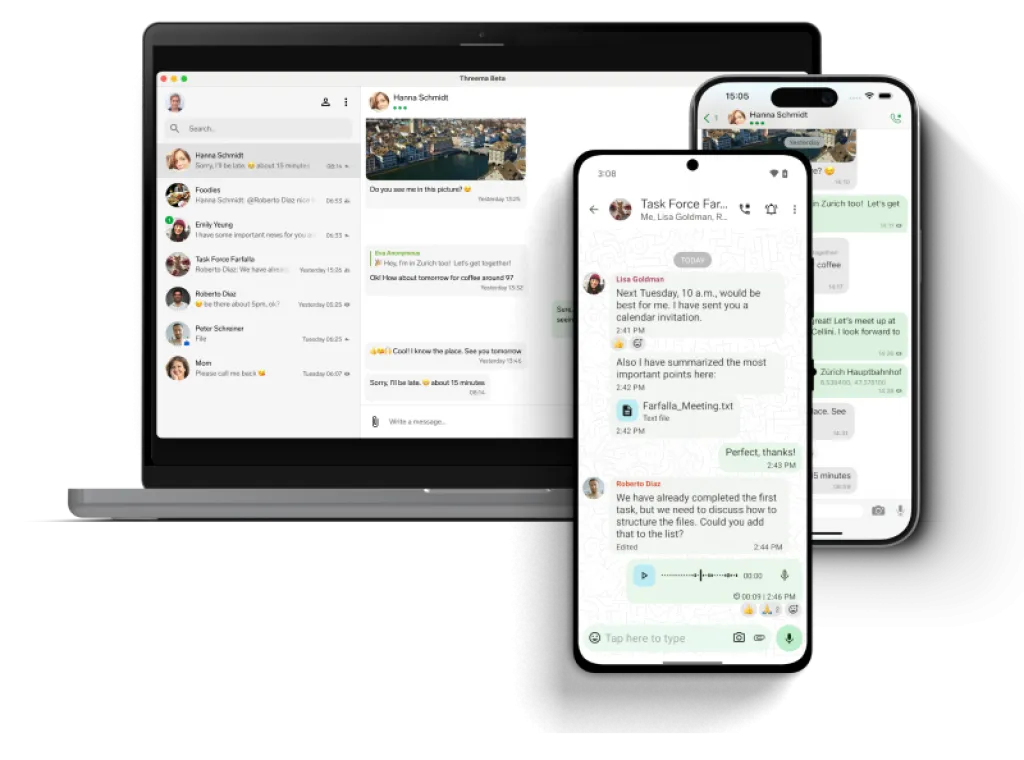
Threema is a Swiss-based encrypted messaging app designed for maximum privacy and anonymity, allowing users to chat without using a phone number or email. It uses end-to-end encryption for messages, calls, and files while minimizing data collection and metadata storage.
PROS
End-to-end encryption
Anonymous account setup
No data tracking
Swiss privacy standards
Open-source audits
CONS
Paid app required
Smaller user base
Limited integrations
COVERAGE
Platforms: iOS, Android, Windows, macOS, Linux, Web/Desktop client
Availability: Global (175+ countries)
Hosting: Servers located in Switzerland
Access model: One-time purchase (consumer app), subscription tiers for business use
SERGEY'S PICKS DEAL
Best for: Privacy-focused users who want full anonymity (no phone/email required)
Pricing: One-time paid app (typically around $3–$7 depending on store/region)
Recommended plan: Private app version for individuals, or Core/Professional if used in teams or organizations
Sergey's Pro Tip
Always enable end-to-end encryption by default and verify your contacts’ security keys or safety numbers when available—this helps ensure you’re truly communicating with the intended person and not an impersonator or intercepted connection.
PROVEN SOLUTIONS
How to Choose the Right Secure Messaging App
Key factors to consider when selecting a secure messaging app that protects your privacy without compromising usability or convenience.

Check encryption strength
Choose apps that offer end-to-end encryption by default so only you and the recipient can read messages.
Review privacy policies
Look for minimal data collection—ideally apps that don’t store metadata like who you talk to or when.

Consider anonymity options
Some secure apps let you sign up without a phone number or email, adding an extra layer of privacy.

Evaluate cross-platform support
Make sure the app works smoothly across your phone, desktop, and other devices you use daily.

Look for open-source transparency
Open-source apps are often more trustworthy because their code can be audited for security flaws.

Balance security with usability
The best secure messaging app should still be easy to use—strong protection shouldn’t come at the cost of convenience.

PDF Download
Security Checklist
Comprehensive 50-point checklist for small to medium businesses
Access Tool
PDF Download
Incident Response Template
Ready-to-use IR plan template with step-by-step procedures
Access Tool
Frequently Asked Questions
What is a secure messaging app?
A secure messaging app uses encryption to protect your messages so only you and the intended recipient can read them.
Are all messaging apps encrypted?
No. Some apps only encrypt messages in transit or store data in readable form, so always check for end-to-end encryption.
Can secure messaging apps be hacked?
While no system is 100% immune, strong encryption and good security practices make secure messaging apps very difficult to compromise.
Do I need a phone number to use secure messaging apps?
Not always. Some apps allow anonymous sign-ups without a phone number or email for added privacy.
Which is the most secure messaging app?
It depends on your needs, but apps like Signal and Threema are widely regarded for strong encryption and privacy-focused design.
Get My Ultimate Hackproof Guide
Get access to my complete list of recommended security tools with exclusive discount codes.
Browse Other Categories

Cybersecurity authority and author of Hack Proof: A Guide to Cybersecurity for Your Business



Join our Mailing List
And that's just a peek at what we offer. Get more marketing tips straight to your inbox.
© 2025 . All rights reserved.