SERGEY POLTEV'S PICKS - PASSWORD MANAGER
Best Private and Secure Email Providers 2026
Protect your inbox from tracking, data leaks, and surveillance with today’s top encrypted email services.
Why do you need Private and Secure Email Providers?
Private and secure email providers are needed because standard email services often scan data, track user behavior, and store messages in ways that can be exposed during breaches. They add encryption and stricter privacy controls so only you and your recipient can access your communications.
SERGEY'S PICKS
PROVEN SOLUTIONS
Recommended Private and Secure Email Providers
Vetted products and services I personally use and recommend to clients
StartMail
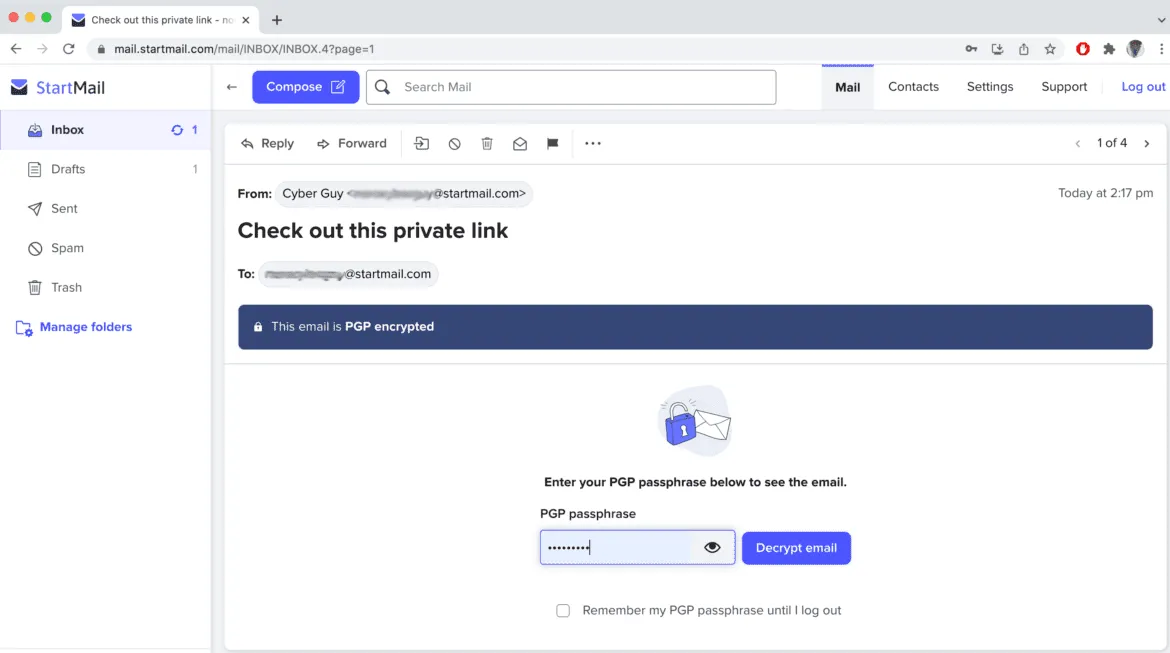
A privacy-first email service built for encryption, anonymous aliases, and full user control over your data.
PROS
Strong encryption
Unlimited email aliases
Easy-to-use privacy tools
No ad tracking or data selling.
CONS
Paid service
Smaller ecosystem than Big Tech providers
And fewer advanced productivity integrations.
COVERAGE
StartMail email
20GB storage
Unlimited email aliases
Disposable burner emails
Multi-device access
Anonymous BTC payments
End-to-end encryption
Password-protected emails
Easy email migration
No ads tracking
Advanced spam filtering
SERGEY'S PICKS DEAL
Exclusive deal for CyberGuy readers: 50% off: $29.94 for first year ($2.50 per month, billed annually). Includes a free 7-day trial.
ProtonMail
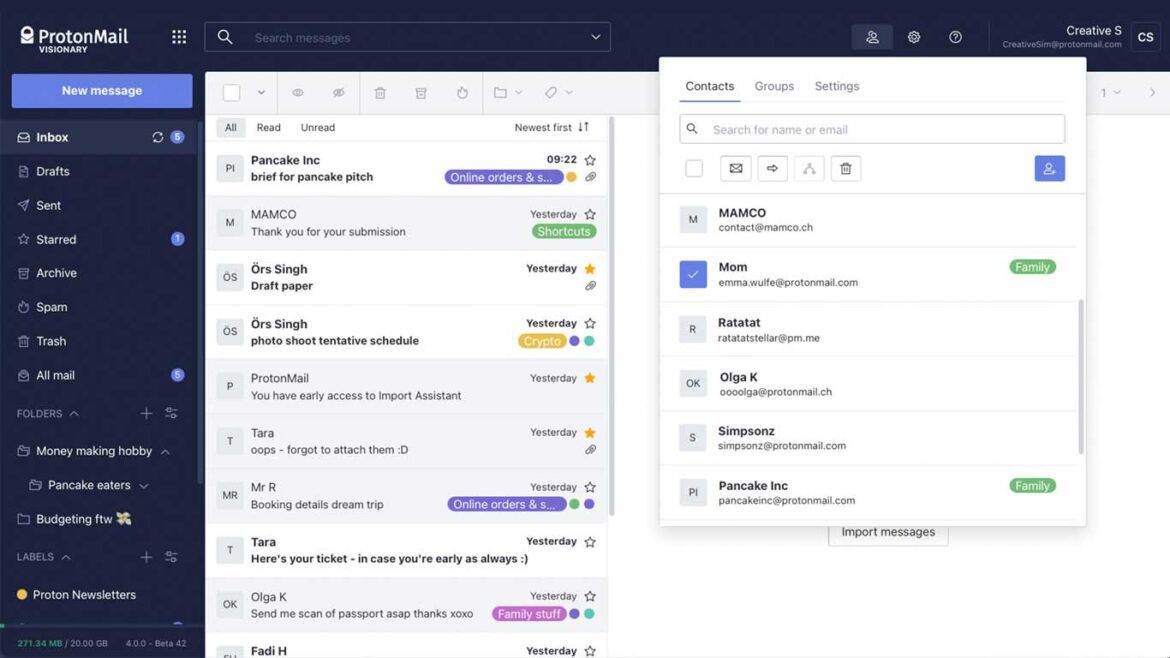
Proton Mail offers end-to-end encrypted email that keeps your messages private and inaccessible even to the provider.
PROS
Strong encryption protection
No data access
Swiss privacy jurisdiction
Secure external sharing
Identity protection tools
Easy alias creation
CONS
Limited free storage
Paid plan features
Slower integrations
Less mainstream compatibility
Learning curve setup
Fewer productivity tools
COVERAGE
End-to-end encryption
Secure email storage
External encrypted sending
Custom domain support
Multiple email aliases
Privacy-focused design
SERGEY'S PICKS DEAL
You can try a free account that offers basic features, but the best option is to pay $4 a month ($48.00 annually).
Sergey's Pro Tip
Choose a provider with end-to-end encryption, zero-access architecture, and open-source transparency, then enable 2FA and use aliases for sign-ups to maximize both privacy and account security.
PROVEN SOLUTIONS
How to Choose the Right Private and Secure Email Providers
Protect your inbox with the right balance of encryption, privacy controls, and everyday usability—without compromising security or convenience.
End-to-End Encryption
Check if the provider offers true end-to-end encryption (E2EE) so only you and the recipient can read your emails. Some services also use zero-access encryption, meaning even the company can’t decrypt stored messages.
No-Logs Policy
Choose providers that follow a strict no-logs or minimal-data policy, avoiding storage of sensitive metadata like IP addresses or login history.
Privacy Jurisdiction Location
Look into where the provider is based. Countries like Switzerland or Germany typically offer stronger privacy protections than jurisdictions with aggressive data laws.
Two-Factor Authentication
Make sure the email provider supports two-factor authentication (2FA) or multi-factor authentication to add an extra layer of account protection.

Encryption Coverage Scope
Check what is actually encrypted—beyond emails, see if attachments, contacts, calendars, and metadata are also protected.
Usability Security Balance
Decide how much convenience you’re willing to trade for privacy. Highly secure services may limit integrations, syncing, or advanced features.

PDF Download
Security Checklist
Comprehensive 50-point checklist for small to medium businesses
Access Tool
PDF Download
Incident Response Template
Ready-to-use IR plan template with step-by-step procedures
Access Tool
Frequently Asked Questions
What makes an email provider truly private and secure?
A secure email provider uses strong encryption (ideally end-to-end encryption), limits data collection, and protects user metadata so only intended recipients can read messages.
Are free email services like Gmail or Yahoo private enough?
They offer basic security, but they are not fully private since they may scan data for features like ads, spam filtering, or service improvement. They are not built for maximum privacy.
What is end-to-end encryption in email?
End-to-end encryption ensures that only the sender and recipient can read the email content. Even the email provider cannot access or decrypt the message.
Do private email providers hide my identity completely?hat happens if I forget my master password?an I run two AntiVirus programs at once?
Not always. While they can reduce data exposure, anonymity depends on factors like signup method, payment method, IP tracking, and how you use the service.
Can secure email providers still be hacked?YY
Yes, no system is 100% hack-proof. However, secure providers reduce risk significantly through encryption, 2FA, and strict security infrastructure.
Get My Ultimate Hackproof Guide
Get access to my complete list of recommended security tools with exclusive discount codes.
Browse Other Categories

Cybersecurity authority and author of Hack Proof: A Guide to Cybersecurity for Your Business



Join our Mailing List
And that's just a peek at what we offer. Get more marketing tips straight to your inbox.
© 2025 . All rights reserved.